Redirect Table for the Relaunch
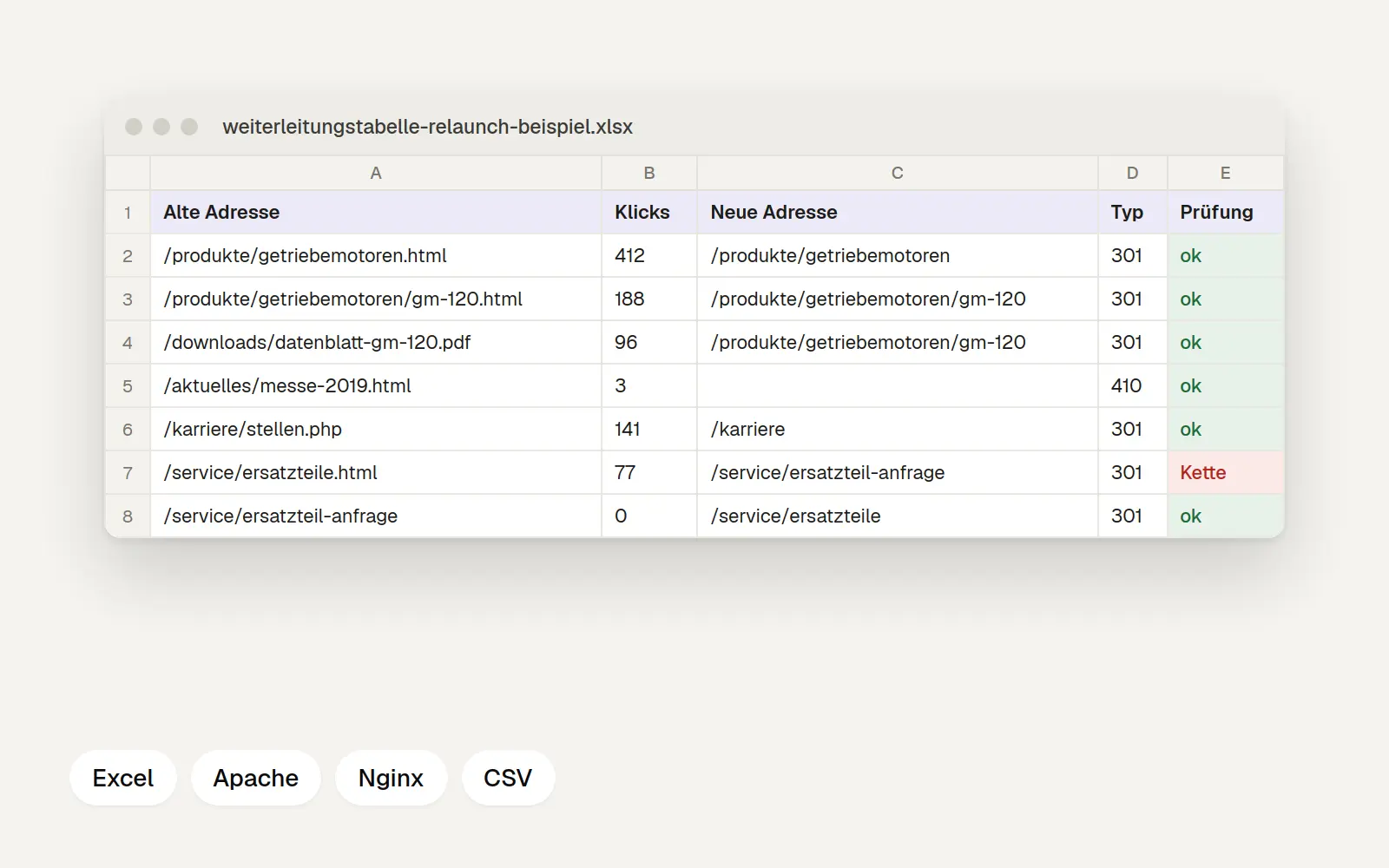
Excel spreadsheet for all old and new addresses during the relaunch. It flags missing destinations, chains, and duplicate entries, and generates ready-to-use rules for Apache, Nginx, and CSV import.
Free, no registration required. Edit in Word, Excel, Google Docs, or Numbers.
What's in the template
During the relaunch, every old URL needs a new destination; otherwise, visitors and Google will end up on error pages. The spreadsheet has three sheets:
Instructions: Where to find the old addresses and how to proceed
Redirects: old address, clicks from the last twelve months, new address, type 301 or 410, status, and an automatic check
Export: ready-to-use lines for Apache (.htaccess), Nginx, and as a CSV file for systems with import functionality
The test column displays "Destination missing," "Chain" if the destination itself is redirected again, "Duplicate," and "Check homepage" if everything points to the homepage. The example intentionally includes a chain so you can see what the message looks like.
Here's how to use the template
Collect the old URLs from three sources: the sitemap, Search Console, and files containing external links. In Google Search Console, go to “Performance” and export the “Pages” tab for the last twelve months. Then match each old URL with the new one that corresponds to its content. If the content no longer exists, choose a 410 status code instead of redirecting to the homepage.
After going live, test each line and set the status to “verified.” Google recommends keeping redirects in place for at least one year after a site move; we leave them in place permanently.
Frequently Asked Questions
Why 301 and not 302?
301 means "permanently redirected." This tells Google that the new address replaces the old one. 302 is intended for temporary redirects.
Does this also work with Framer, Webflow, or Wix?
These building blocks create redirects in their own settings, some of which support CSV import. To do this, use the CSV column in the "Export" sheet or enter the rows manually.
Explained in detail
Website Relaunch: Process, Checklist, Costs, and SEORead the guide →Relevant Templates
Are you planning a relaunch? We plan and build corporate websites, from the initial requirements through to launch.
Web Design for Businesses →